

<the translator that keeps up with the conversation/>
Realtime Voice Translator
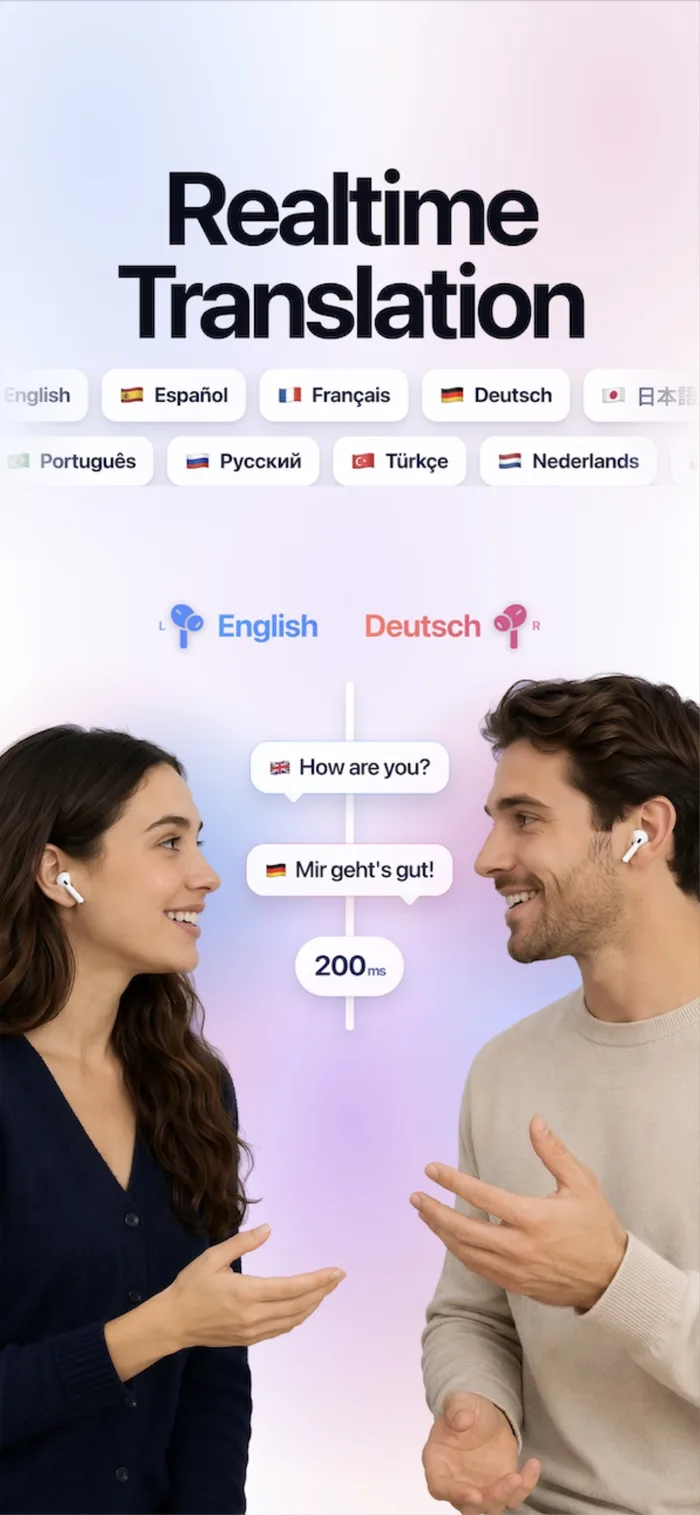
Speak naturally and understand everyone. OmniTalk transcribes and translates while you are still talking — across 60+ languages, through your camera, and offline when there is no signal.
Free to download · No account required
Real conversations
don’t wait
Most translator apps make you take turns with the phone. Record, stop, wait, hold it up — and the moment has already passed.
record → stop → wait
one phone, one direction
no signal, no translation
By the time the translation appears, the other person has repeated themselves twice. Menus, signs and ticket machines are no more patient.
OmniTalk translates while you are still speaking — and keeps working with the phone in airplane mode.
<!-- how it works -->
Three steps,
one conversation
Tap the mic — or ask Siri, or put it on the Action button. OmniTalk is listening before the phone is out of your pocket.
Speak normally. Your words are transcribed and translated as you say them, word by word, with no record-stop-wait cycle.
They read their own language, right side up on their half of the screen — or hear it spoken in a natural voice.
<!-- what’s inside -->
Every way
you need to talk
Two-way translation that keeps pace with speech, in 60+ languages. Lay one phone between you and 180° mode flips the other half of the screen, so each side reads their own language the right way up.
Point the camera at signs, menus, labels and documents. The text is recognised on device and the translation is drawn over the words, exactly where they are.
Download a language pair once, then translate with no connection at all — free, instant and completely private. Planes, roaming-free travel, dead zones.
Switch to PRO for a premium cloud speech engine built for noisy streets, fast talkers, and conversations that change language mid-sentence.
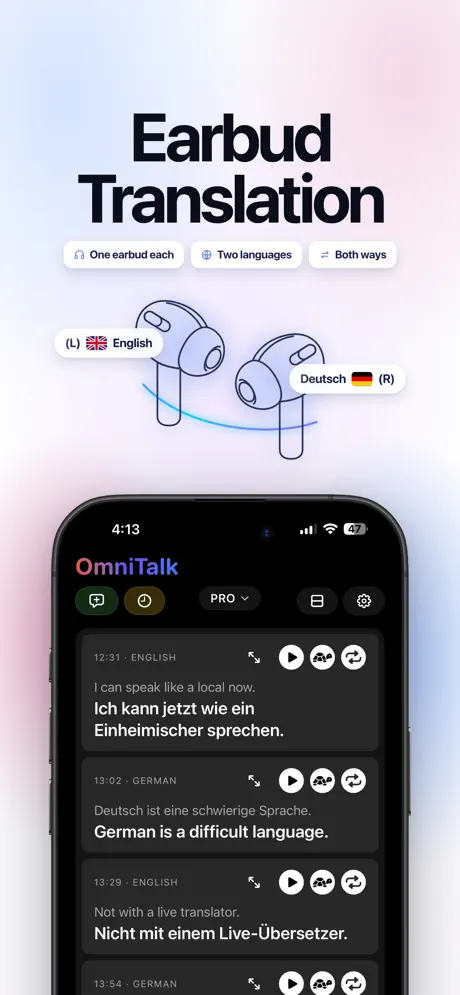
Split Ears by Language sends each language to its own side of your earbuds — theirs in one ear, yours in the other. Share a pair and two people follow the same conversation, each in their own language. Any stereo earbuds, not just AirPods. PRO.
<!-- languages -->
Sixty-plus
languages
Voice, camera and text translation across every major language — and dozens more besides.
- Español
- Français
- Deutsch
- Italiano
- Português
- Nederlands
- Polski
- Svenska
- Türkçe
- Русский
- Українська
- العربية
- हिन्दी
- 中文
- 日本語
- 한국어
- ไทย
- Tiếng Việt
and 40+ more
<!-- questions -->
Common questions
How many languages does OmniTalk translate?
Over 60, for voice, camera and text. Offline on-device translation depends on the models Apple provides; everything else translates online.
Does it work without internet?
Yes. Download a language pair once and both speech recognition and translation run on your device — free, instant, and nothing leaves your phone.
Is OmniTalk free?
OmniTalk is free to download, and BASIC mode — on-device translation with downloaded languages — is free to use. PRO mode, with a premium cloud speech engine, is a subscription.
Can two people share one phone?
Yes. In 180° mode the other person’s half of the screen flips toward them, so you each read your own language right side up while you talk.
Do I need an account?
No. No sign-up, no email. Your settings, downloaded languages and history all live on your device.
Speak like
you belong there
Real-time voice, camera and text translation in 60+ languages. Free to download, no account required.
- 1 free hour of live translation monthly, unlimited on PRO
- Generous PRO credits in every plan
- Natural Premium Voices
- Earbuds Live Translation
- Translate any video or audio